A little context helps.
Ada uses permitted context from your active app and your vocabulary to help choose the right words.
A new way to put it into words
A thought, a message, a good idea. Just say it.
Ada turns your voice into writing, right where you work.
Mac · macOS 13.3 or later
Not notarized by Apple · Review installation requirements
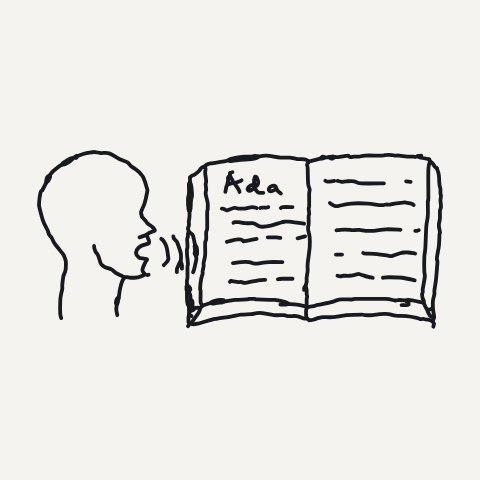
“Let’s meet tomorrow at ten.”
Let’s meet tomorrow at 10.
For the things you write every day
THOUGHTFULLY BUILT
Dictation should fit the way you think.
Ada brings your words into the apps you already use.
Ada uses permitted context from your active app and your vocabulary to help choose the right words.
Names, numbers, and what you actually meant matter. Ada’s writing safeguards are designed to preserve them.
Start with a shortcut. Speak into the app you’re already using, without moving your ideas somewhere else.
A SIMPLE ROUTINE
No new place to write. Just a different way to get your words there.
Place your cursor in a supported text field and use your dictation shortcut.
Say the message, note, or idea you want to write. Ada turns your speech into text.
Your words appear where you were working. Give them a quick check and make them yours.
PERSONAL WORDS. PERSONAL SPACE.
Local-first processing wherever practical. Clear limits on what leaves your device.
Read our privacy policyAudio, transcripts, and nearby text are excluded from product analytics.
Product analytics is off by default. If you enable it, events are limited to content-free product signals.
No screen recording or automatic input capture for analytics. Essential crash signals are also content-free.
ROOM TO GET STARTED
Ada for Mac is available now.
Free and Pro plans are coming at launch. Paid subscriptions are not available yet.
India pricing (INR): ₹199/month or ₹1,999/year. Outside India pricing (USD): US$5.99/month or US$59.99/year. Annual plans save 16% compared with monthly billing.
For everyday writing.
Free
Free, with no dictation limit
Planned features for the free plan
Download for MacMore context. More personal.
₹199 / month
or ₹1,999 / year
Save 16% with yearly billing
Planned features for paid desktop access
Paid orders will be processed by Paddle, our Merchant of Record. Supported countries, applicable taxes and local payment methods are confirmed at checkout when subscriptions launch. Refund policy
A FEW GOOD QUESTIONS
Yes. Ada for Mac is available now. Visit the download page for requirements and installation guidance. Review your dictated text before using it.
Ada is for Macs with macOS 13.3 or later, on Apple Silicon or Intel. Windows, Android, and iOS are planned, with no release dates announced yet.
No. The current release is ad-hoc signed and not notarized by Apple. macOS may block it on first launch. Read the installation and security information before choosing to install.
Hindi and Hinglish accuracy may vary, especially when mixing languages. Review the text before using it. Hinglish accuracy is still being improved.
Ada is local-first, not fully offline. Account services, billing, and encrypted sync use cloud services. If you enable cloud cleanup or request a rewrite preview, Ada sends the current English text to Microsoft Azure. Audio stays on your device. See the privacy policy for details.
No. Ada does not use session replay, screen recording, or automatic input capture for analytics. Optional product analytics is off by default, and essential crash signals exclude your content.
ADA FOR MAC
Mac · macOS 13.3 or later
Download for MacNot notarized by Apple · Review installation requirements
Windows, Android & iOS to follow
Help us understand how people find and use Ada. If you choose Allow, we send fixed page and link labels, coarse source and campaign categories, checkout interface states, the website version, and a random browser ID to PostHog. We never send raw URLs, query strings, referrers, text, account or payment details. Only these source categories are saved in this tab. They expire after 24 hours and are cleared or replaced on the next measured page visit, when you turn measurement off, or when the tab session ends. Checkout interface states do not prove captured payment. There is no session replay. This choice is separate from the Ada app.
Optional website measurement is off.
You can turn this off here at any time. Turning it off removes this browser’s measurement ID and stops new events. Requests already sent cannot be recalled. With measurement off, no measurement ID is stored.